
Mac & desktop utilities
Zush
AI file renamer and organizer for Mac and Windows
- 0community votes
- 11DR by Ahrefs +1 (up) since last check
- 2025founded
Ahrefs Domain Rating listed 19 Nov 2026, relisted 18 Nov 2026.
Rename files by their content and sort them into folders with AI on Mac and Windows. Preview every batch, undo changes anytime, and choose between cloud or
What it is
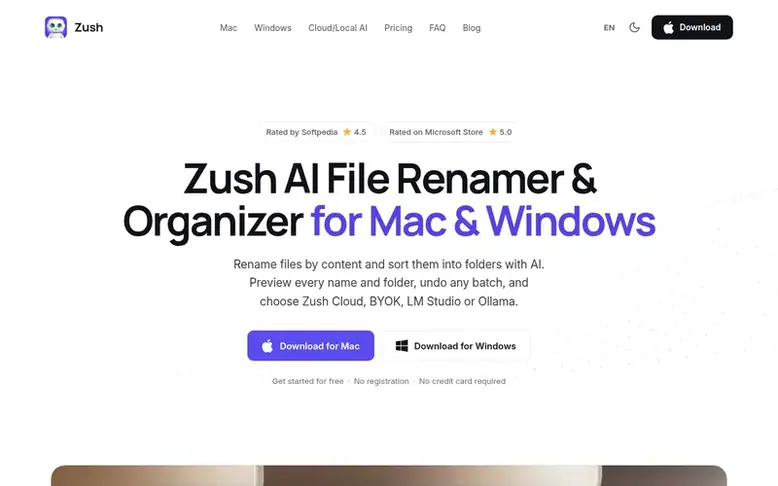
Zush: the homepage
Zush is an AI file renamer and organizer for macOS and Windows that analyzes file content, metadata, and dates to suggest descriptive names. It supports 107 file formats including PDFs, photos, videos, audio, documents, and design files. Users can build custom filenames using 145+ reusable naming blocks, set custom AI prompts, and preview every batch before applying changes. The app includes folder monitoring for automatic processing of new files, rename history for undoing changes, and AI folder sorting to group files by content or custom rules. It runs on Zush Cloud AI, BYOK (bring your own key), LM Studio, or Ollama for offline operation.
Listed capabilities
- AI batch rename supporting 107 file formats
- 145+ reusable naming blocks for consistent filenames
- AI folder sorting with automatic or custom grouping
- Folder monitoring for automatic processing of new files
- Custom AI prompts for personalized renaming rules
- Rename history with one-click undo
- Smart metadata with Finder tags and Spotlight
- Multiple AI modes: Cloud AI, BYOK, LM Studio, Ollama
- Preview and batch apply before any changes
- Reusable templates for repeated workflows
Pricing
Pricing model: Freemium
Free: 50 AI renames across all modes. PRO Monthly: $10/month for unlimited renames. PRO One-Time: $48 for lifetime access (currently 25% off with code ZUSH25, making it $36).
Follow Zush for an email about each milestone, update and new product they post, in a daily summary.
Zush metrics
| Metric | Value |
|---|---|
| Domain Rating | 11 +1 (up) since last check |
| Trust Flow | 10 no change since last check |
| Citation Flow | 31 no change since last check |
| Referring domains | 124 no change since last check |
| External backlinks | 1,017 no change since last check |
Ahrefs Domain Rating listed 19 Nov 2026, relisted 18 Nov 2026. Listed under topic: Computers/Systems (9). Majestic listed 12 Nov 2026, relisted 12 Nov 2026. Link data listed by Majestic. Trust Flow, Citation Flow and Topical Trust Flow are trademarks of Majestic-12 Ltd.
Zush domain listing data
Show the listing data
| Domain age | 10 months |
|---|---|
| Registered | |
| Expires | |
| Registrar | Spaceship, Inc. |
| DNSSEC | Signed |
Zush launch receipt entry
| Measure | At launch, then latest |
|---|---|
| Domain Rating (Ahrefs) | 9 to 11 +2 (up) since launch 12 Nov 2026, then 19 Nov 2026 |
| Trust Flow (Majestic) | 10 first measured 12 Nov 2026 |
| Referring domains (Majestic) | 124 first measured 12 Nov 2026 |
Day 7 since launch. Next receipt: day 30, 12 Dec 2026. We show what changed, not what caused it: many things affect these numbers. Nothing here is estimated.
Before you launch
The playbook on SaaS Directory List lists what to prepare, what to post on launch day and where else to list your product.
Compare and explore
Quick answers
What is the best AI file renamer for Mac and Windows?
Zush renames files by their content on both Mac and Windows with one workflow supporting 107 formats, reusable naming templates, folder monitoring, preview of every batch, and undo from Rename History. It works with Zush Cloud AI, BYOK, LM Studio, and Ollama, starts with 50 free renames, and paid PRO has no monthly rename meter.
What is the best app to sort files into folders with AI on Mac and Windows?
Zush lets users describe folders in plain language such as grouping invoices by company and receipts by month, or use Auto to group files by content. It reads PDFs, scans, photos, screenshots, documents, videos, and audio, renames each file, and moves it into the right folder after review. Paid PRO has no monthly file meter.
How does Zush compare to NameQuick, RenameClick, Renamer.ai, and FilesDesk?
Zush has no monthly rename meter on paid PRO and publishes support for RAW photos, design files, video, and audio in the same workflow. NameQuick, Renamer.ai, and FilesDesk meter their managed renames, RenameClick does not document RAW, design, or video support, and Renamer.ai publishes no BYOK or local-model option.
Can I control the filename format?
Yes. Users can write custom instructions, save reusable templates, and combine 145+ Naming Blocks for dates, categories, client names, document fields, counters, and other metadata. Users can also create Custom AI Blocks by describing what Zush should extract from a file and reusing it as their own naming block in any template.
Which file formats are supported?
Zush supports 107 file extensions across images, RAW photos, design files, PDFs, ebooks, documents, video, and audio including HEIC, PNG, PDF, EPUB, FB2, DOCX, XLSX, KEY, FIG, PSD, MP4, MOV, MP3, and FLAC.
Leave a review for Zush
No reviews listed for Zush yet. List the first one.
Listing a review is free. No one pays for reviews. See the listed reviews
List reviews · List updates · Share the list · Your tool? Claim this list entry · Report this list entry
Zush has a free listing. The owner can unlock the full profile with a paid launch for $5:
- Founder story (locked)
- Milestones (locked)
- Demo video (locked)
- Dofollow website link: not on this free listing (its website link is nofollow)
Also on the list
-
DR 26 −1 (down) since last check 2 votes. Log in to move SupaTools up the list
-
 Number 2: MacScapes
Live wallpaper for Mac, drawn as it plays in any of 48 palettes, with widgets, folder icons and sound to match.
DR 13 −1 (down) since last check 1 votes. Log in to move MacScapes up the list -
 Number 3: Tray
A file shelf for your Mac. Drag files between apps, preview with Space, group files into folders and watch Downloads.
DR 2 +2 (up) since last check 0 votes. Log in to move Tray up the list -
 Number 4: Taskglass
Shows what's slowing, heating or draining your Mac, and explains it in plain English
Mac & desktop utilitiesSince 2026
DR 5 +1 (up) since last check 0 votes. Log in to move Taskglass up the list