
Mac & desktop utilities
Purrify
Auto-delete old screenshots, screen recordings and downloads on your Mac
- 0community votes
- 0DR by Ahrefs no change since last check
Ahrefs Domain Rating listed 16 Oct 2026, relisted 5 Oct 2026.
Purrify metrics
| Metric | Value |
|---|---|
| Domain Rating | 0 no change since last check |
| Trust Flow | 8 no change since last check |
| Citation Flow | 13 no change since last check |
| Referring domains | 39 no change since last check |
| External backlinks | 49 no change since last check |
Ahrefs Domain Rating listed 16 Oct 2026, relisted 5 Oct 2026. Listed under topic: Business/Construction and Maintenance (4). Majestic listed 5 Oct 2026, relisted 5 Oct 2026. Link data listed by Majestic. Trust Flow, Citation Flow and Topical Trust Flow are trademarks of Majestic-12 Ltd.
A macOS utility that automatically deletes old screenshots, screen recordings and downloads, showing each file in the notch before removal with a 7-day recovery window.
What it is
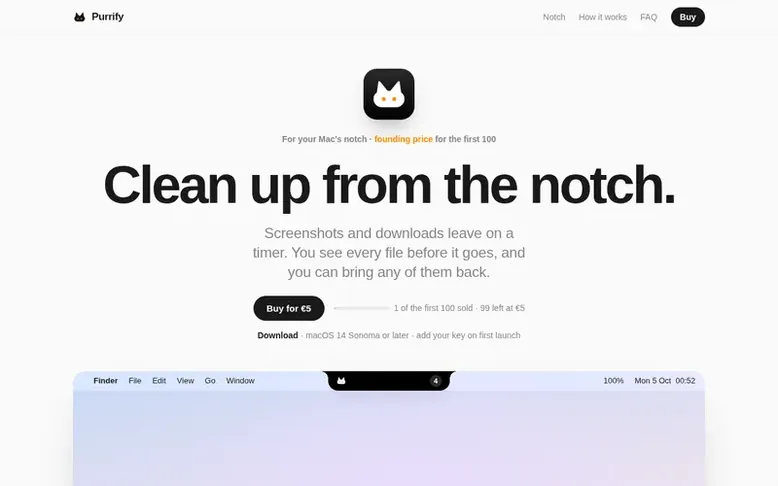
Purrify: the homepage
Purrify is a macOS utility that automatically manages screenshots, screen recordings and downloads using customizable rules. Files matching a rule are moved to a quarantine folder and shown in the Mac's notch with a countdown timer before deletion, allowing users to restore them within a 7-day window.
The app works with macOS 14 Sonoma or later, including Macs without a notch which use a small tab in the menu bar instead. Screenshots and screen recordings are handled automatically by default, while other file types can be configured with custom rules that read like sentences. Users can keep files, restore them from quarantine, or let them delete permanently after 7 days.
Purrify includes features like peek notifications for new files, undo after sweeps, a history view of deleted files, and support for up to 2 Macs per license. All files and filenames stay on the user's Mac, with no data sent to external servers unless activating with an order ID.
Listed capabilities
- Auto-delete screenshots and screen recordings with customizable timers
- Notch panel showing files before deletion with countdown
- 7-day quarantine with restore capability
- Customizable rules for all file types
- Peek notifications for new files
- History view of deleted files
- Menu bar icon alternative for Macs without notch
- Support for up to 2 Macs per license
- Offline verification and operation
Pricing
Pricing model: Paid
Founding license: €5 one-time (first 100 buyers); License: €12 one-time (after founding licenses sold). Includes notch panel, all features, quarantine with undo and restore, history, and all 1.x updates. Usage on up to 2 Macs.
Compare and explore
Quick answers
Does Purrify delete my files immediately?
No. When a rule matches, Purrify moves the file to a quarantine folder and keeps it there for 7 days. You can restore it from History at any time in that window. After 7 days, it is deleted permanently.
Which Macs does Purrify work on?
Purrify runs on any Mac with macOS 14 Sonoma or later. On Macs without a notch, it shows the same panel from a small black tab in the middle of the menu bar.
Is Purrify a subscription?
No. You pay once and get every 1.x update included at no extra cost.
What happens if I use Purrify without a license?
Purrify shows what it would clean up, but it does not move anything until you add a license key. Files already in quarantine stay restorable.
Does Purrify send my data anywhere?
No. Your files and file names stay on your Mac. The app only connects to the internet if you activate it with an order ID instead of a key.
Leave a review for Purrify
No reviews listed for Purrify yet. List the first one.
Listing a review is free. No one pays for reviews. See the listed reviews
List reviews · List updates · Share the list · Your tool? Claim this list entry · Report this list entry
Purrify has a free listing. The owner can unlock the full profile with a paid launch for $5:
- Founder story (locked)
- Milestones (locked)
- Demo video (locked)
- Dofollow website link (locked)
Also on the list
-
 Number 1: DeepCleanMac
Native macOS utility to clean junk files, caches, and unused apps from 200+ hidden locations
DR 27 −1 (down) since last check 0 votes. Log in to move DeepCleanMac up the list -
Number 2: Battery Beggar
A macOS menu bar app that gives your battery a personality
DR 2 no change since last check 0 votes. Log in to move Battery Beggar up the list -
DR 4 +4 (up) since last check 0 votes. Log in to move Resettle up the list
-
 Number 4: Broomkit
Mac cleaner app that finds caches, app leftovers and duplicates with transparent disk reclamation
DR 25 −1 (down) since last check 0 votes. Log in to move Broomkit up the list