
Developer Tools
XTermium
A terminal with a session manager for Windows, macOS and Linux supporting SSH, SFTP, RDP, VNC, telnet, serial, WinRM, BMC consoles, websites and tunnels in one window.
- 0community votes
- 0DR by Ahrefs no change since last check
Ahrefs Domain Rating listed 6 Nov 2026, relisted 1 Nov 2026.
A unified terminal application that consolidates multiple connection types—SSH, RDP, VNC, telnet, serial, and more—into a single window with end-to-end
What it is
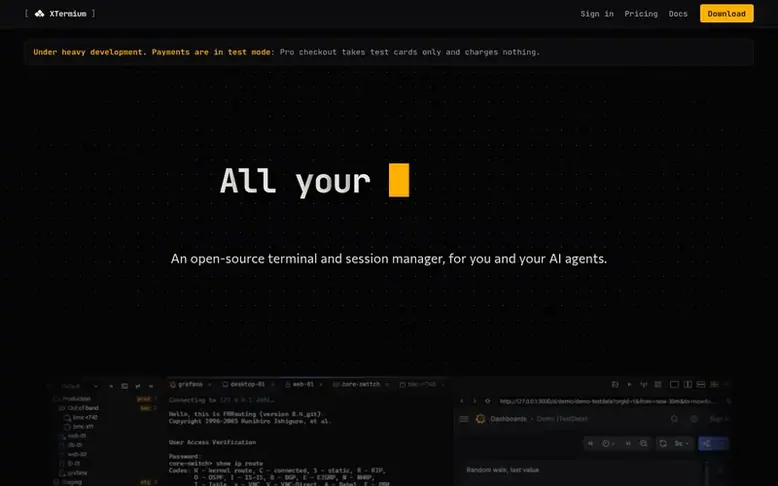
XTermium: the homepage
XTermium is a free, open-source terminal application that brings all your remote connections into one unified interface. It supports ten connection types including SSH, SFTP, RDP, VNC, telnet, serial, WinRM, BMC consoles, websites, and SSH tunnels, eliminating the need for multiple programs.
The application features end-to-end encryption with data stored securely using XChaCha20-Poly1305, with encryption keys managed through your operating system's keychain. Everything is accessible to AI agents and scripts through a local MCP server, allowing automated access without exposing passwords.
Key capabilities include split-pane layouts for managing multiple terminals and desktops simultaneously, broadcast keysting to send commands to multiple systems, SFTP file browsing alongside terminal sessions, and real-time tunnel monitoring. All data on disk is encrypted, with a recovery passphrase enabling migration to new machines.
Currently available for Windows and Linux, with macOS coming later. The core application is free under the Apache 2.0 license, with optional paid Pro sync available after release for syncing sessions across devices.
Listed capabilities
- SSH with agent, keys, passwords, jump hosts, trust on first use, and auto-reconnect
- SFTP file panel over the same SSH connection with browse, drag, download, and rename
- RDP desktops in tabs with auto-reconnect, shared folders, and no stuck keys
- VNC desktops with dynamic resizing and optional tunnel support
- Telnet for switches, routers, and serial servers with window size negotiation
- Broadcast keystrokes to multiple terminals at once
- SSH tunnels with live traffic monitoring, connections count, and auto-reconnect
- BMC console access for Dell iDRAC 7, 8 and Supermicro X11 and newer
- AI agent and script access through local MCP server without exposing passwords
Pricing
Pricing model: Freemium
Free: complete app with all features. Pro: €4.99 per month or €49 per year (excluding VAT) for sync across multiple computers.
Follow XTermium for an email about each milestone, update and new product they post, in a daily summary.
XTermium metrics
| Metric | Value |
|---|---|
| Domain Rating | 0 no change since last check |
| Trust Flow | 0 no change since last check |
| Citation Flow | 0 no change since last check |
| Referring domains | 0 no change since last check |
| External backlinks | 0 no change since last check |
Ahrefs Domain Rating listed 6 Nov 2026, relisted 1 Nov 2026. Majestic listed 1 Nov 2026, relisted 1 Nov 2026. Link data listed by Majestic. Trust Flow, Citation Flow and Topical Trust Flow are trademarks of Majestic-12 Ltd.
XTermium domain listing data
Show the listing data
| Domain age | 5 months |
|---|---|
| Registered | |
| Expires | |
| Registrar | Enartia Single Member S.A. |
| DNSSEC | Not signed |
XTermium launch receipt entry
| Measure | At launch, then latest |
|---|---|
| Domain Rating (Ahrefs) | 0 to 0 no change since launch 1 Nov 2026, then 5 Nov 2026 |
| Trust Flow (Majestic) | 0 first measured 1 Nov 2026 |
| Referring domains (Majestic) | 0 first measured 1 Nov 2026 |
Day 4 since launch. Next receipt: day 30, 1 Dec 2026. We show what changed, not what caused it: many things affect these numbers. Nothing here is estimated.
Before you launch
The playbook on SaaS Directory List lists what to prepare, what to post on launch day and where else to list your product.
Compare and explore
Quick answers
What platforms does XTermium support?
XTermium is currently available for Windows and Linux, with macOS coming later. The full app with all features runs on all supported platforms.
What connection types does XTermium support?
XTermium supports ten kinds of connections: SSH, SFTP, RDP, VNC, telnet, serial, WinRM, BMC consoles, websites, and SSH tunnels, all accessible from one interface.
How is data encrypted in XTermium?
All files on disk are encrypted with one 256-bit data key stored in your OS keychain using XChaCha20-Poly1305 cipher. A recovery passphrase unseals the key on a new machine using Argon2id.
Can AI agents and scripts use XTermium?
Yes. AI agents and scripts access XTermium through a local MCP server or the xtermium command-line tool without seeing passwords. They can open sessions, run commands, read output, click and type on desktops, start tunnels, and manage sessions.
Leave a review for XTermium
No reviews listed for XTermium yet. List the first one.
Listing a review is free. No one pays for reviews. See the listed reviews
List reviews · List updates · Share the list · Your tool? Claim this list entry · Report this list entry
XTermium has a free listing. The owner can unlock the full profile with a paid launch for $5:
- Founder story (locked)
- Milestones (locked)
- Demo video (locked)
- Dofollow website link (locked)
Also on the list
-
DR 39 +1 (up) since last check 1 votes. Log in to move NerimaSoft up the list
-
 Number 2: VibeKits
Free AI agent rules generator for Cursor, Claude, and other coding tools
Developer ToolsUnited States
DR 0 no change since last check 0 votes. Log in to move VibeKits up the list -
DR 0 no change since last check 0 votes. Log in to move EveryPage up the list
-
DR 0 no change since last check 0 votes. Log in to move PlugMCP up the list