Developer Tools
Tarmac
Local dashboard for Claude Code and Codex
- 0community votes
- 5DR by Ahrefs no change since last check
Ahrefs Domain Rating listed 19 Nov 2026, relisted 17 Nov 2026.
Free app for Mac and PC to run Claude Code and Codex side by side with local dev projects, managing ports, logs, Git, Docker and Supabase from one screen.
What it is
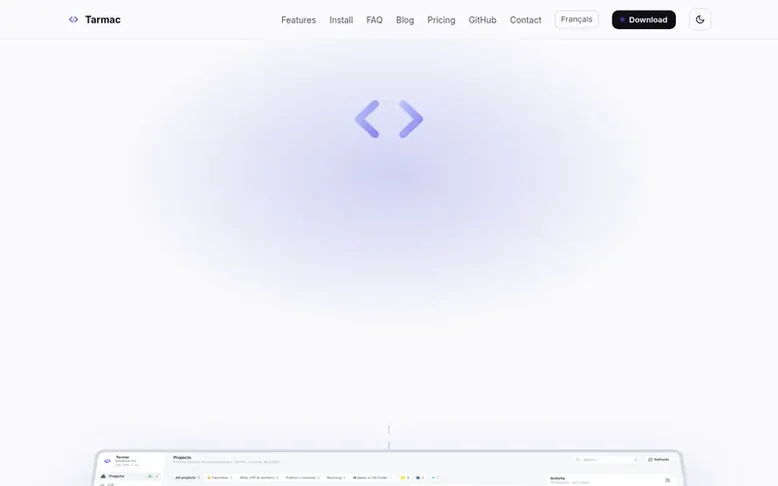
Tarmac: the homepage
Tarmac is a free, open source application for macOS and Windows that brings together Claude Code and Codex sessions with local development projects. It automatically discovers projects in your code folders, assigns each a free port to prevent conflicts, and streams their logs.
The app provides a unified dashboard where you can manage multiple projects alongside coding agent sessions. It includes Git command menus with about thirty commands, Docker container management, local Supabase integration, and GitHub repository browsing. You can run several Claude Code or Codex sessions in parallel, each visible in the same sidebar with live activity indicators.
Tarmac runs locally on your machine and opens in your browser. The free version includes everything described; Tarmac Pro adds a desktop installer, automatic updates, notifications, session context information, a todolist autopilot feature, and one year of support.
Listed capabilities
- Automatic project detection across code folders
- Git command menu with about thirty commands explained
- Docker container management by compose project
- Local Supabase integration with Studio and URLs
- Claude Code and Codex session management side by side
- Session context display showing history size and compactions (Pro)
- One-click install of dependencies including Node.js and Docker (Pro)
Pricing
Pricing model: Freemium
Free: open source, everything Tarmac does today, command line installation, runs in browser as PWA, manual updates, community support. Pro: €49 one-time (includes VAT), desktop installer for macOS and Windows, automatic updates, pro features, one year of support and maintenance.
Follow Tarmac for an email about each milestone, update and new product they post, in a daily summary.
Tarmac metrics
| Metric | Value |
|---|---|
| Domain Rating | 5 no change since last check |
| Trust Flow | 0 no change since last check |
| Citation Flow | 13 no change since last check |
| Referring domains | 2 no change since last check |
| External backlinks | 80 no change since last check |
Ahrefs Domain Rating listed 19 Nov 2026, relisted 17 Nov 2026. Majestic listed 17 Nov 2026, relisted 17 Nov 2026. Link data listed by Majestic. Trust Flow, Citation Flow and Topical Trust Flow are trademarks of Majestic-12 Ltd.
Tarmac domain listing data
Show the listing data
| Domain age | 17 days |
|---|---|
| Registered | |
| Expires | |
| Registrar | OVH sas |
| DNSSEC | Not signed |
Tarmac launch receipt entry
| Measure | At launch, then latest |
|---|---|
| Domain Rating (Ahrefs) | 5 to 5 no change since launch 17 Nov 2026, then 19 Nov 2026 |
| Trust Flow (Majestic) | 0 first measured 17 Nov 2026 |
| Referring domains (Majestic) | 2 first measured 17 Nov 2026 |
Day 2 since launch. Next receipt: day 30, 17 Dec 2026. We show what changed, not what caused it: many things affect these numbers. Nothing here is estimated.
Before you launch
The playbook on SaaS Directory List lists what to prepare, what to post on launch day and where else to list your product.
Compare and explore
Quick answers
What is Tarmac software?
Tarmac is a free, open source app (MIT) for macOS and Windows that finds projects in your code folders, starts them on a free port, streams their logs, and gathers Claude Code and Codex sessions in the same window. It runs locally and opens in your browser.
Does my data leave my machine?
No. Tarmac runs locally and listens on your machine only. The only network call for usage is Claude Code's own sign-in to Anthropic; Codex usage is read from local files.
Can I use Claude Code and Codex together?
Yes. Tick both in Settings → Agents: each project gets a Claude tab and a Codex tab, every session shows up in the same sidebar with its activity light, and the Todolist can hand a task to whichever agent is idle.
Is Tarmac really free?
Yes. The code is open source (MIT) and everything Tarmac does today is free. Pro adds the Desktop installer, automatic updates, Pro features and support.
Does it work on Windows?
Yes. The free version runs inside WSL 2; Pro brings a native Windows installer.
Leave a review for Tarmac
No reviews listed for Tarmac yet. List the first one.
Listing a review is free. No one pays for reviews. See the listed reviews
List reviews · List updates · Share the list · Your tool? Claim this list entry · Report this list entry
Tarmac has a free listing. The owner can unlock the full profile with a paid launch for $5:
- Founder story (locked)
- Milestones (locked)
- Demo video (locked)
- Dofollow website link: not on this free listing (its website link is nofollow)
Also on the list
-
DR 76 no change since last check 8 votes. Log in to move Remotion up the list
-
 Number 2: IT Admin Utils
Browser-based diagnostic tools for understanding systemd, Docker, DNS, cURL, and SSH errors
Developer ToolsNew ZealandVerified
DR 2 no change since last check 3 votes. Log in to move IT Admin Utils up the list -
DR 39 +1 (up) since last check 1 votes. Log in to move NerimaSoft up the list
-
 Number 4: Laravel Suspicious Login
Detect and respond to suspicious logins in Laravel applications
Developer ToolsBelgiumSince 2004
DR 74 no change since last check 0 votes. Log in to move Laravel Suspicious Login up the list