
Remote work
Screensie
Windows and Linux remote support for repair shops and small IT teams
- 0community votes
- 3DR by Ahrefs +3 (up) since last check
Ahrefs Domain Rating listed 6 Nov 2026, relisted 27 Oct 2026.
Remote support software for Windows and Linux PCs with remote control, diagnostics, file transfer, and fleet management. No per-endpoint fees.
What it is
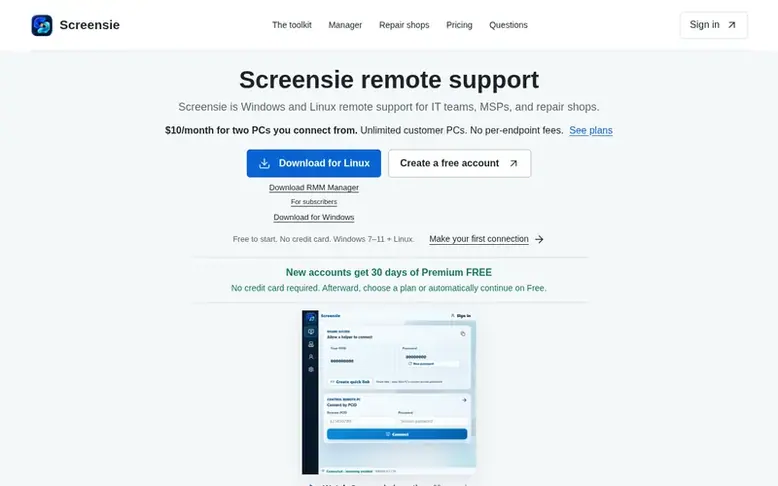
Screensie: the homepage
Screensie provides remote support tools for independent technicians, computer repair shops, and small IT teams. It includes remote control with mouse and keyboard, file transfer, chat, and screen annotations for immediate support. The Command Center offers diagnostics with health findings, searchable processes, and system information. Screensie Manager provides fleet views, resource alerts, job tracking, and timed screenshots for monitoring. Pricing is based on the number of support PCs you connect from, not the number of customer PCs you support. One subscription unit covers two outbound PCs with unlimited destination PCs.
Listed capabilities
- Remote control with mouse and keyboard input
- File transfer between computers
- Command Center for system diagnostics
- Chat and screen annotations during sessions
- Screensie Manager for fleet monitoring
- Timed screenshots on supported PCs
- Quick Link temporary access sharing
- Authenticated encrypted connections
- Support for Windows 7 or later
- Linux installation on Ubuntu and Debian
Pricing
Pricing model: Freemium
Free: $0 forever with 1 hour of use per server day, up to 10 saved computers, 1 active outbound connection. Pro Monthly: $10/month for 2 support PCs, unlimited remote-control time, unlimited saved destination PCs, Windows and Linux Command Center, Screensie Manager included. Pro Yearly: $100/year fo
Follow Screensie for an email about each milestone, update and new product they post, in a daily summary.
Screensie metrics
| Metric | Value |
|---|---|
| Domain Rating | 3 +3 (up) since last check |
| Trust Flow | 6 no change since last check |
| Citation Flow | 15 no change since last check |
| Referring domains | 3 no change since last check |
| External backlinks | 20 no change since last check |
Ahrefs Domain Rating listed 6 Nov 2026, relisted 27 Oct 2026. Listed under topic: Computers/Software/Operating Systems (6). Majestic listed 25 Oct 2026, relisted 25 Oct 2026. Link data listed by Majestic. Trust Flow, Citation Flow and Topical Trust Flow are trademarks of Majestic-12 Ltd.
Screensie domain listing data
Show the listing data
| Domain age | 3 months |
|---|---|
| Registered | |
| Expires | |
| Registrar | GoDaddy.com, LLC |
| DNSSEC | Not signed |
Screensie launch receipt entry
| Measure | At launch, then latest |
|---|---|
| Domain Rating (Ahrefs) | 0 to 3 +3 (up) since launch 25 Oct 2026, then 6 Nov 2026 |
| Trust Flow (Majestic) | 6 first measured 25 Oct 2026 |
| Referring domains (Majestic) | 3 first measured 25 Oct 2026 |
Day 11 since launch. Next receipt: day 30, 24 Nov 2026. We show what changed, not what caused it: many things affect these numbers. Nothing here is estimated.
Before you launch
The playbook on SaaS Directory List lists what to prepare, what to post on launch day and where else to list your product.
Compare and explore
Quick answers
Who is Screensie built for?
Screensie is built for independent technicians, computer repair shops, and small IT teams providing authorized support for Windows and Linux PCs. It combines remote control, file transfer, diagnostics, and subscribed-account monitoring in one toolkit.
How many PCs does one subscription cover?
One monthly or yearly subscription unit licenses two outbound PCs. Both can make connections at the same time. Additional units add two more licenses each. Destination PCs do not require paid seats.
Do all my customers need a subscription?
No. Paid seats are for the computers you connect from, not each computer you support. Paid plans let you save unlimited destination PCs without individual endpoint charges.
What operating systems does Screensie support?
Screensie supports Windows 7 or later and Linux. Installation on Linux is available for Ubuntu and Debian on Intel or AMD 64-bit PCs. Native macOS apps and mobile apps are not currently available.
Installing on Linux instead?
Open guided Linux installation for Ubuntu/Debian on Intel or AMD 64-bit PCs. Paste the provided command into Terminal. Setup installs dependencies and asks Advanced installation options? [y/N] . Choose y to enter an optional account email, group, and hidden static device password. Open Screensie from the application menu as your normal desktop user. On Wayland, approve sharing and input on the first connection. Follow the Wayland screenshot walkthrough and test access before leaving the PC unattended.
Leave a review for Screensie
No reviews listed for Screensie yet. List the first one.
Listing a review is free. No one pays for reviews. See the listed reviews
List reviews · List updates · Share the list · Your tool? Claim this list entry · Report this list entry
Screensie has a free listing. The owner can unlock the full profile with a paid launch for $5:
- Founder story (locked)
- Milestones (locked)
- Demo video (locked)
- Dofollow website link (locked)
Also on the list
-
DR 3 +2 (up) since last check 0 votes. Log in to move Castpane up the list
-
 Number 2: CLIAnywhere
Remote terminal access for your own PC from iPhone, Android or the web with persistent sessions and no port forwarding required
DR 0 no change since last check 0 votes. Log in to move CLIAnywhere up the list