
Remote work
CLIAnywhere
Remote terminal access for your own PC from iPhone, Android or the web with persistent sessions and no port forwarding required
- 0community votes
- 0DR by Ahrefs no change since last check
Ahrefs Domain Rating listed 6 Nov 2026, relisted 25 Oct 2026.
A remote terminal app for your own Windows, macOS or Linux PC, accessible from iOS, Android or web with persistent sessions that survive disconnects.
What it is
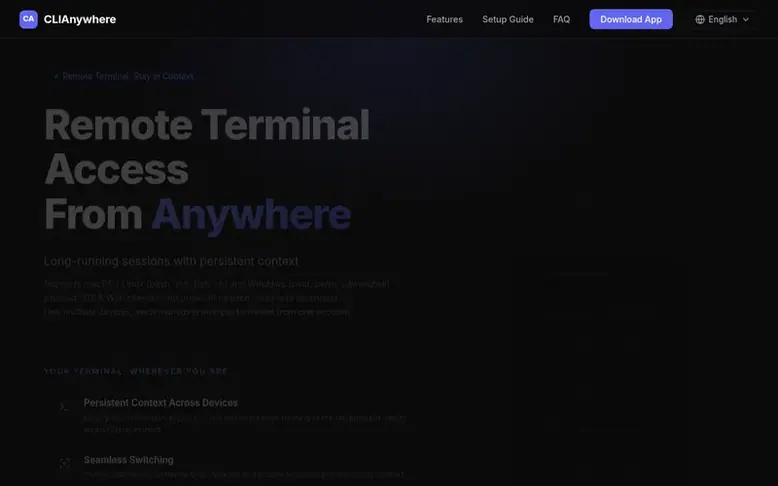
CLIAnywhere: the homepage
CLIAnywhere is a remote terminal application for your own Windows, macOS, or Linux PC. An open-source host daemon keeps a persistent shell on your computer; you attach from iOS, Android, or the web. Commands always run on the PC—the phone or browser is only a window into that terminal.
The service maintains persistent sessions that survive disconnects, device switches, and app closures. You can seamlessly switch between desktop and mobile without losing context, shell history, or running processes. It includes a file browser to download files from your PC and can access localhost and private LAN web apps.
Connections are end-to-end encrypted using SPAKE2 key exchange and AES-256-GCM encryption. The app establishes peer-to-peer connections when possible and falls back to an encrypted relay when needed—no public IP or port forwarding required. Each PC is protected by a local Security Code that never leaves the machine.
Listed capabilities
- Persistent terminal sessions across device disconnects and switches
- Support for Windows (cmd, pwsh, powershell), macOS/Linux (bash, zsh, fish, sh)
- Seamless switching between desktop, mobile and web clients
- File browser and download capability for remote files
- Access localhost and private LAN web apps from phone
- Peer-to-peer connection with encrypted relay fallback
- End-to-end encryption with SPAKE2 key exchange and AES-256-GCM
- Per-PC Security Code stored locally, never sent to servers
- Support for multiple PCs linked to one account
Pricing
Pricing model: Freemium
Free download; optional ad-free subscription through App Store and Google Play at regional prices shown in each store
Follow CLIAnywhere for an email about each milestone, update and new product they post, in a daily summary.
CLIAnywhere metrics
| Metric | Value |
|---|---|
| Domain Rating | 0 no change since last check |
| Trust Flow | 6 no change since last check |
| Citation Flow | 9 no change since last check |
| Referring domains | 3 no change since last check |
| External backlinks | 5 no change since last check |
Ahrefs Domain Rating listed 6 Nov 2026, relisted 25 Oct 2026. Listed under topic: Arts/Online Writing (5). Majestic listed 25 Oct 2026, relisted 25 Oct 2026. Link data listed by Majestic. Trust Flow, Citation Flow and Topical Trust Flow are trademarks of Majestic-12 Ltd.
CLIAnywhere domain listing data
Show the listing data
| Domain age | 6 months |
|---|---|
| Registered | |
| Expires | |
| Registrar | Cloudflare, Inc. |
| DNSSEC | Not signed |
CLIAnywhere launch receipt entry
| Measure | At launch, then latest |
|---|---|
| Domain Rating (Ahrefs) | 0 to 0 no change since launch 25 Oct 2026, then 6 Nov 2026 |
| Trust Flow (Majestic) | 6 first measured 25 Oct 2026 |
| Referring domains (Majestic) | 3 first measured 25 Oct 2026 |
Day 11 since launch. Next receipt: day 30, 24 Nov 2026. We show what changed, not what caused it: many things affect these numbers. Nothing here is estimated.
Before you launch
The playbook on SaaS Directory List lists what to prepare, what to post on launch day and where else to list your product.
Compare and explore
Quick answers
What makes this different from tmux?
tmux keeps terminal sessions alive but requires manual setup inside the terminal. CLIAnywhere provides the same session continuity across desktop and mobile devices without any extra configuration—simply switch devices and keep working.
Why not just use SSH?
SSH creates a new terminal session every time you connect. CLIAnywhere keeps a single terminal session alive, allowing you to switch between desktop and mobile devices without losing your shell, running processes, or command history.
How is my connection secured?
Every connection is protected by two layers of security. First, you sign in with your account to access your devices. Then, each PC is protected by its own Security Code, which is generated and stored locally on that machine. It never leaves your PC and is never stored on servers. Sessions are end-to-end encrypted with DTLS/WSS transport, SPAKE2 key exchange, and AES-256-GCM payload encryption.
Do I need a public IP or port forwarding?
No. CLIAnywhere establishes a direct peer-to-peer connection whenever possible and automatically falls back to a secure relay when needed. No public IP, firewall configuration, or port forwarding is required—it works over Wi-Fi and cellular data alike.
Can I monitor Claude Code or other CLI AI agents from my phone?
Yes. If Claude Code, Codex CLI, Gemini CLI, OpenCode, Aider, or similar agents run in a terminal on your PC, you can attach to that same persistent session from your phone or web app to watch progress and type replies while away from the keyboard. CLIAnywhere does not host or integrate those agents; it only remotes your terminal.
Leave a review for CLIAnywhere
No reviews listed for CLIAnywhere yet. List the first one.
Listing a review is free. No one pays for reviews. See the listed reviews
List reviews · List updates · Share the list · Your tool? Claim this list entry · Report this list entry
CLIAnywhere has a free listing. The owner can unlock the full profile with a paid launch for $5:
- Founder story (locked)
- Milestones (locked)
- Demo video (locked)
- Dofollow website link (locked)
Also on the list
-
DR 3 +2 (up) since last check 0 votes. Log in to move Castpane up the list
-
 Number 2: Screensie
Windows and Linux remote support for repair shops and small IT teams
DR 3 +3 (up) since last check 0 votes. Log in to move Screensie up the list