Developer Tools
PHP Checker
Free tools to check PHP versions and test code compatibility across versions 7.4 to 8.5
- 0community votes
- 0DR by Ahrefs no change since last check
Ahrefs Domain Rating listed 6 Nov 2026, relisted 3 Nov 2026.
A collection of free PHP tools including a website version checker, code sandbox, syntax checker and EOL calendar that run in your browser without uploading
What it is
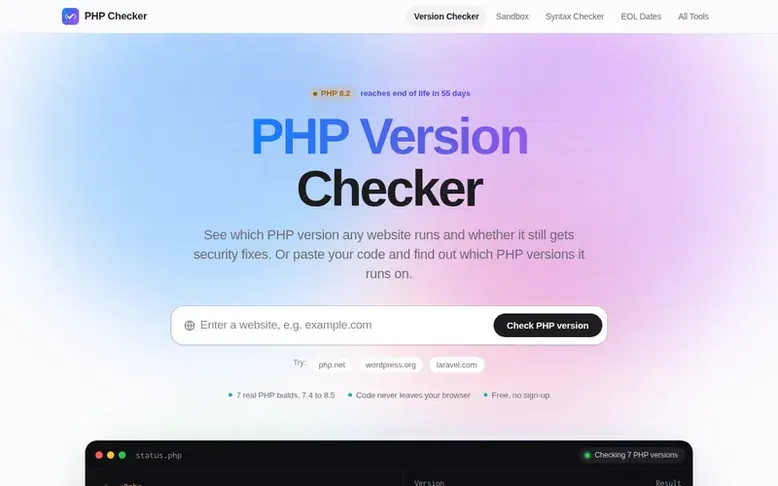
PHP Checker: the homepage
PHP Checker provides free tools for developers, agencies and site owners to understand PHP versions. The PHP Version Checker shows which version a website runs and whether it still receives security updates. The code compatibility checker lets you test code against seven real PHP builds from 7.4 to 8.5 to find the minimum version needed, with all syntax errors and deprecated functions identified. The PHP Sandbox allows running code in your browser, and the EOL calendar tracks support dates for each PHP version. All code tools run entirely in your browser compiled to WebAssembly, so your code never leaves your device. Only the website checker communicates with the server because browsers cannot read another site's response headers.
Listed capabilities
- PHP Version Checker to detect website PHP versions via headers and markers
- Multi-version code compatibility checker testing 7.4 to 8.5
- PHP Sandbox running code in your browser with real PHP interpreters
- PHP Syntax Checker identifying parse errors and deprecated functions
- PHP EOL Dates calendar with support status for all versions
- Bcrypt Generator for password hashing
- phpinfo() Analyzer explaining server configuration
- PHP Date Format tester
- PHP Formatter for code formatting
- PHP Regex Tester for preg_match patterns
Pricing
Pricing model: Free
Follow PHP Checker for an email about each milestone, update and new product they post, in a daily summary.
PHP Checker metrics
| Metric | Value |
|---|---|
| Domain Rating | 0 no change since last check |
| Trust Flow | 0 no change since last check |
| Citation Flow | 0 no change since last check |
| Referring domains | 0 no change since last check |
| External backlinks | 0 no change since last check |
Ahrefs Domain Rating listed 6 Nov 2026, relisted 3 Nov 2026. Majestic listed 3 Nov 2026, relisted 3 Nov 2026. Link data listed by Majestic. Trust Flow, Citation Flow and Topical Trust Flow are trademarks of Majestic-12 Ltd.
PHP Checker domain listing data
Show the listing data
| Domain age | 13 days |
|---|---|
| Registered | |
| Expires | |
| Registrar | Gname 311 Inc |
| DNSSEC | Not signed |
PHP Checker launch receipt entry
| Measure | At launch, then latest |
|---|---|
| Domain Rating (Ahrefs) | 0 to 0 no change since launch 3 Nov 2026, then 5 Nov 2026 |
| Trust Flow (Majestic) | 0 first measured 3 Nov 2026 |
| Referring domains (Majestic) | 0 first measured 3 Nov 2026 |
Day 2 since launch. Next receipt: day 30, 3 Dec 2026. We show what changed, not what caused it: many things affect these numbers. Nothing here is estimated.
Before you launch
The playbook on SaaS Directory List lists what to prepare, what to post on launch day and where else to list your product.
Compare and explore
Quick answers
How do I check the PHP version of a website?
Type the address into the PHP Version Checker. It reads public signals like X-Powered-By and Server response headers, PHP session cookies, and CMS generator tags. If the server exposes its version, you get the exact number, support status and end-of-life date.
Why can't the checker find the PHP version of my site?
Well-configured servers hide the PHP version by setting expose_php = Off in php.ini. Many hosts and CDNs strip this header as good security practice. To see your own site's version, use php -v via SSH, a temporary phpinfo() file, WordPress Site Health or your hosting control panel.
How do I check which PHP version my code needs?
Paste your code into the compatibility checker and press Check all versions. It parses and runs the code on real PHP builds from 7.4 to 8.5, showing parse errors for syntax like match, enum or property hooks that older versions cannot support, and runtime failures for removed functions.
Is my code uploaded anywhere?
No. The code checker and sandbox run PHP compiled to WebAssembly inside your browser tab. Your code never leaves your device. Only the website checker talks to the server, because browsers cannot read another site's response headers directly.
Which PHP version should I use in 2026?
Use PHP 8.5 for new projects and at least PHP 8.3 for existing sites. PHP 8.2 receives its last security fixes on Dec 31, 2026. PHP 8.1 and older versions are already end of life and no longer receive security patches.
Leave a review for PHP Checker
No reviews listed for PHP Checker yet. List the first one.
Listing a review is free. No one pays for reviews. See the listed reviews
List reviews · List updates · Share the list · Your tool? Claim this list entry · Report this list entry
PHP Checker has a free listing. The owner can unlock the full profile with a paid launch for $5:
- Founder story (locked)
- Milestones (locked)
- Demo video (locked)
- Dofollow website link (locked)
Also on the list
-
DR 39 +1 (up) since last check 1 votes. Log in to move NerimaSoft up the list
-
 Number 2: VibeKits
Free AI agent rules generator for Cursor, Claude, and other coding tools
Developer ToolsUnited States
DR 0 no change since last check 0 votes. Log in to move VibeKits up the list -
DR 0 no change since last check 0 votes. Log in to move EveryPage up the list
-
DR 0 no change since last check 0 votes. Log in to move PlugMCP up the list