
Productivity & Personal Tools
ChronoBlock
Desktop time blocking app with focus timer for Windows and macOS
- 0community votes
- 3DR by Ahrefs no change since last check
Ahrefs Domain Rating listed 16 Oct 2026, relisted 10 Oct 2026.
ChronoBlock metrics
| Metric | Value |
|---|---|
| Domain Rating | 3 no change since last check |
| Trust Flow | 2 no change since last check |
| Citation Flow | 11 no change since last check |
| Referring domains | 29 no change since last check |
| External backlinks | 65 no change since last check |
Ahrefs Domain Rating listed 16 Oct 2026, relisted 10 Oct 2026. Listed under topic: Business/Construction and Maintenance (2). Majestic listed 10 Oct 2026, relisted 10 Oct 2026. Link data listed by Majestic. Trust Flow, Citation Flow and Topical Trust Flow are trademarks of Majestic-12 Ltd.
ChronoBlock domain listing data
| Domain age | 1 month |
|---|---|
| Registered | |
| Expires | |
| Registrar | NameCheap, Inc. |
| DNSSEC | Not signed |
A desktop app that helps you plan your day by dragging tasks onto a visual calendar, creating time blocks, and maintaining focus sessions with local data
What it is
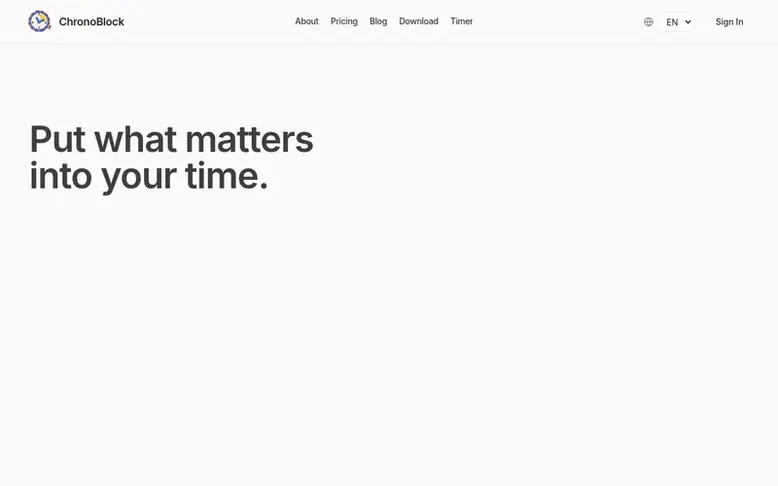
ChronoBlock: the homepage
ChronoBlock is a desktop productivity app for Windows and macOS that combines task management with visual time blocking. You capture what you need to do, then drag tasks directly onto a calendar to create realistic time blocks for your day. The app includes a built-in Pomodoro timer to help you stay focused during work sessions and easily adjust your schedule as priorities change. All your planning data stays on your device, working offline with no cloud synchronization required. It's designed specifically around time blocking from the ground up, making the transition from tasks to focused work straightforward and clear.
Listed capabilities
- Drag-and-drop task scheduling onto visual calendar
- Visual time blocking calendar with timeline view
- Built-in Pomodoro timer for focus sessions
- Resize and move time blocks as plans change
- Local data storage with offline functionality
- Cross-platform support for Windows and macOS
- Use on up to three devices with one license
- One-time payment with lifetime access to updates
Pricing
Pricing model: Paid
Free for 30 days, then $10.90 USD one-time for lifetime access. No subscription or renewal.
Compare and explore
Quick answers
How do I plan my day with ChronoBlock?
List what matters, then drag each task onto your calendar and give it a realistic time block. Resize or move blocks as your day changes.
Why ChronoBlock instead of other apps?
ChronoBlock is built around time blocking from day one, easy to pick up, and keeps your planning data on your own device.
Where is my data stored?
All tasks and time blocks stay on your device and planning works offline with no cloud synchronization.
Why is time blocking so effective?
It turns a vague “later” into a real time commitment, so important work gets a protected slot instead of hoping to find time.
How much does ChronoBlock cost?
Free for the first 30 days, then a one-time lifetime license. No subscription.
Leave a review for ChronoBlock
No reviews listed for ChronoBlock yet. List the first one.
Listing a review is free. No one pays for reviews. See the listed reviews
List reviews · List updates · Share the list · Your tool? Claim this list entry · Report this list entry
ChronoBlock has a free listing. The owner can unlock the full profile with a paid launch for $5:
- Founder story (locked)
- Milestones (locked)
- Demo video (locked)
- Dofollow website link (locked)
Also on the list
-
Number 1: WhatPulse
Track keystrokes, clicks, applications and websites to understand your computer usage and productivity patterns
Productivity & Personal ToolsSince 2003
DR 54 no change since last check 0 votes. Log in to move WhatPulse up the list -
 Number 2: Start This Task
Break overwhelming tasks into one clear, doable first step
DR 4 no change since last check 0 votes. Log in to move Start This Task up the list -
 Number 3: Blocker
Website and app blocker for Mac with lock modes to prevent disabling blocks
DR 1 no change since last check 0 votes. Log in to move Blocker up the list -
 Number 4: Team Name Factory
Generate brand-ready team name ideas in seconds
DR 1 −1 (down) since last check 0 votes. Log in to move Team Name Factory up the list