Productivity & Personal Tools
Blocker
Website and app blocker for Mac with lock modes to prevent disabling blocks
- 0community votes
- 1DR by Ahrefs no change since last check
Ahrefs Domain Rating listed 16 Oct 2026, relisted 15 Oct 2026.
Blocker metrics
| Metric | Value |
|---|---|
| Domain Rating | 1 no change since last check |
| Trust Flow | 9 no change since last check |
| Citation Flow | 22 no change since last check |
| Referring domains | 76 no change since last check |
| External backlinks | 114 no change since last check |
Ahrefs Domain Rating listed 16 Oct 2026, relisted 15 Oct 2026. Listed under topic: Recreation/Autos (9). Majestic listed 15 Oct 2026, relisted 15 Oct 2026. Link data listed by Majestic. Trust Flow, Citation Flow and Topical Trust Flow are trademarks of Majestic-12 Ltd.
Blocker domain listing data
| Domain age | 5 months |
|---|---|
| Registered | |
| Expires | |
| Registrar | Spaceship, Inc. |
| DNSSEC | Signed |
A Mac app that blocks websites and apps you choose, with scheduling and lock modes to maintain focus.
What it is
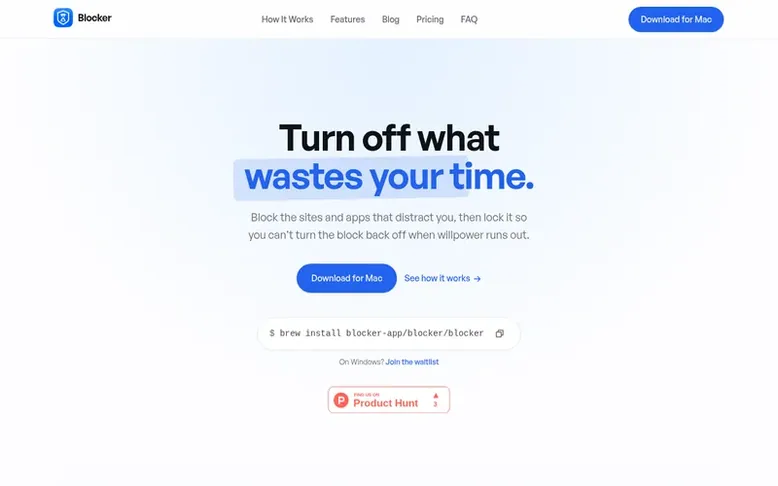
Blocker: the homepage
Blocker is a Mac application that blocks websites across all browsers and prevents Mac apps from launching. You can block immediately or schedule recurring blocks for work, study, or personal projects. The app offers three lock modes—Off, Strict, and Hardcore—to control how easily you can disable a block, with Hardcore preventing any exit until the timer ends except for one weekly emergency pass.
The app runs entirely on your Mac with no account required, works offline, and includes an optional local certificate for HTTPS site blocking. It tracks your focus streaks, focus hours, and blocks completed. Setup takes about a minute and requires macOS 14 or newer.
Listed capabilities
- Block websites across all browsers simultaneously
- Block Mac apps from launching
- Three lock modes: Off, Strict, and Hardcore
- Recurring block scheduling by day and time
- No account or sign-up required
- Runs offline on your Mac
- Streak and focus hour tracking
- Support for subdomain blocking
Pricing
Pricing model: Free trial
$29 for founding licence (90% claimed, 1 of 10 founding spots left), then $39 for next 25, then $59 regular price. One-time payment, free updates forever.
Compare and explore
Quick answers
How does Blocker stop a site or app from opening?
Sites are blocked by a small proxy running on your Mac that prevents the page from loading in any browser. Apps are watched by a helper that hides and closes them when they try to launch. Nothing destructive happens and no files are touched.
How do the lock modes prevent me from disabling blocks?
Off mode lets you pause or stop after a short wait. Strict mode requires a longer wait and typing "I want to break my focus" to quit early. Hardcore mode cannot be stopped until the timer ends, with only one emergency pass available per week.
Does Blocker read or log my browsing activity?
No. The local certificate only shows the blocked page for sites on your blocklist. Sites you have not blocked are never read, decrypted, or logged. There is no account, it runs offline, and nothing about your browsing leaves your Mac.
Does Blocker work across browsers and with Mac apps?
Yes. One block covers every browser and every Mac app. You do not need to add anything inside the browser, and subdomains are automatically included when you add a domain.
Is there a free version or trial available?
There is a 7-day free trial with every feature available. After that, the app stops blocking until you purchase a one-time licence if you decide to keep it.
Leave a review for Blocker
No reviews listed for Blocker yet. List the first one.
Listing a review is free. No one pays for reviews. See the listed reviews
List reviews · List updates · Share the list · Your tool? Claim this list entry · Report this list entry
Blocker has a free listing. The owner can unlock the full profile with a paid launch for $5:
- Founder story (locked)
- Milestones (locked)
- Demo video (locked)
- Dofollow website link (locked)
Also on the list
-
Number 1: WhatPulse
Track keystrokes, clicks, applications and websites to understand your computer usage and productivity patterns
Productivity & Personal ToolsSince 2003
DR 54 no change since last check 0 votes. Log in to move WhatPulse up the list -
 Number 2: Start This Task
Break overwhelming tasks into one clear, doable first step
DR 4 no change since last check 0 votes. Log in to move Start This Task up the list -
 Number 3: Team Name Factory
Generate brand-ready team name ideas in seconds
DR 1 −1 (down) since last check 0 votes. Log in to move Team Name Factory up the list -
 Number 4: Zora Boards
Free-form vision board and affirmations app for iPhone and Android
DR 3 no change since last check 0 votes. Log in to move Zora Boards up the list