
Productivity & Personal Tools
Shotivo
Fast, native screenshot app for macOS, Windows and Linux
- 0community votes
- 2DR by Ahrefs no change since last check
Ahrefs Domain Rating listed 19 Nov 2026, relisted 16 Nov 2026.
Desktop screenshot tool to capture regions, annotate, and share with links. Free and private by default.
What it is
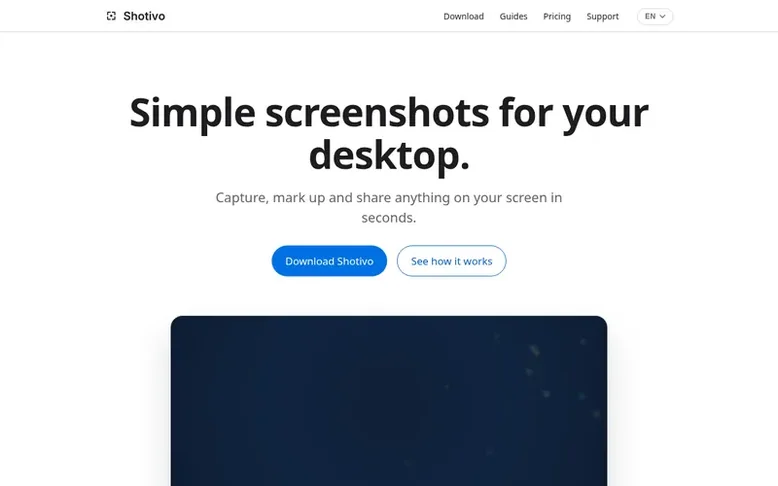
Shotivo: the homepage
Shotivo is a native screenshot application for macOS, Windows and Linux that lets users capture any region of their screen, annotate with arrows, text, rectangles, ellipses, blur and other tools, then copy or share via link. The app lives in the menu bar, notification area or system tray and requires no account. Screenshots remain private on your device until you choose to share them. Free sharing links expire after 7 days, while Pro links can remain live for up to 90 days.
Listed capabilities
- Capture regions, windows or full screen
- Annotate with pen, arrow, rectangle, ellipse, text and blur
- Crop, undo and redo
- Copy to clipboard or share via link
- No account required
- Private by default
- Native apps for macOS, Windows and Linux
- Local saving of screenshots
- Adjustable link expiration (7 days Free, up to 90 days Pro)
Pricing
Pricing model: Freemium
Free: includes screenshot capture, annotation, copy to clipboard, local saving, cloud sharing, 7-day sharing with up to 10 MB per share and 10 shares a day, 512 MB shared storage. Pro: $9.99 per year, includes everything in Free plus higher limits (up to 50 MB per share, 500 shares a day, 4 GB share
Follow Shotivo for an email about each milestone, update and new product they post, in a daily summary.
Shotivo metrics
| Metric | Value |
|---|---|
| Domain Rating | 2 no change since last check |
| Trust Flow | 0 no change since last check |
| Citation Flow | 0 no change since last check |
| Referring domains | 0 no change since last check |
| External backlinks | 0 no change since last check |
Ahrefs Domain Rating listed 19 Nov 2026, relisted 16 Nov 2026. Majestic listed 16 Nov 2026, relisted 16 Nov 2026. Link data listed by Majestic. Trust Flow, Citation Flow and Topical Trust Flow are trademarks of Majestic-12 Ltd.
Shotivo domain listing data
Show the listing data
| Domain age | 2 months |
|---|---|
| Registered | |
| Expires | |
| Registrar | CloudFlare, Inc. |
| DNSSEC | Not signed |
Shotivo launch receipt entry
| Measure | At launch, then latest |
|---|---|
| Domain Rating (Ahrefs) | 2 to 2 no change since launch 16 Nov 2026, then 19 Nov 2026 |
| Trust Flow (Majestic) | 0 first measured 16 Nov 2026 |
| Referring domains (Majestic) | 0 first measured 16 Nov 2026 |
Day 4 since launch. Next receipt: day 30, 16 Dec 2026. We show what changed, not what caused it: many things affect these numbers. Nothing here is estimated.
Before you launch
The playbook on SaaS Directory List lists what to prepare, what to post on launch day and where else to list your product.
Compare and explore
Quick answers
How do I capture a screenshot?
Use the global shortcut (configurable in Settings; macOS defaults to ⌘⇧9) and drag to select a region, or choose a window or the whole screen from the menu bar, notification area or tray. Windows uses Ctrl+Shift+3, Ctrl+Shift+4 or Ctrl+Shift+5; Linux uses ⇧⌃9, ⇧⌃W or ⇧⌃S.
Do I need an account?
No. The app works fully offline and locally. Sharing uses an anonymous installation ID, so there is no account and no email to enter.
How does sharing work?
After capturing, click Share. The screenshot uploads and the URL is copied to your clipboard. Links expire after 7 days on Free; Pro links can remain live for up to 90 days.
Where are screenshots saved?
By default to ~/Pictures/Shotivo on macOS and Linux, and to %USERPROFILE%\Pictures\Shotivo on Windows. You can change the location in Settings.
Why is my screenshot blank or capture fails?
macOS requires Screen Recording permission: open System Settings → Privacy & Security → Screen Recording, enable Shotivo, then restart the app. On Linux with Wayland, approve the portal prompt; Windows asks for no permission.
Leave a review for Shotivo
No reviews listed for Shotivo yet. List the first one.
Listing a review is free. No one pays for reviews. See the listed reviews
List reviews · List updates · Share the list · Your tool? Claim this list entry · Report this list entry
Shotivo has a free listing. The owner can unlock the full profile with a paid launch for $5:
- Founder story (locked)
- Milestones (locked)
- Demo video (locked)
- Dofollow website link: not on this free listing (its website link is nofollow)
Also on the list
-
 Number 1: Slap Alert
A Mac menu bar app that shows sale notifications with a pixel monkey
Productivity & Personal ToolsCanadaVerified
DR 8 +1 (up) since last check 4 votes. Log in to move Slap Alert up the list -
 Number 2: TidyList™
YouTube playlist manager, organizer and cleaner
Productivity & Personal ToolsUnited KingdomVerified
DR 7 +1 (up) since last check 3 votes. Log in to move TidyList™ up the list -
Number 3: Ordr
ADHD-friendly AI task manager that turns brain dumps into clear plans
DR 20 −1 (down) since last check 1 votes. Log in to move Ordr up the list -
 Number 4: Omphalis
A workspace for reading articles, PDFs, videos and podcasts with AI explanations and cross-source questions
Productivity & Personal ToolsUnited StatesSince 2026
DR 37 −9 (down) since last check 1 votes. Log in to move Omphalis up the list