
Productivity & Personal Tools
Build Mode
Private time tracker for Mac that records focused work with one button
- 0community votes
- 27DR by Ahrefs no change since last check
Ahrefs Domain Rating listed 6 Nov 2026, relisted 19 Oct 2026.
A private time tracker for Mac that counts focused work hours with one keyboard shortcut, automatically categorizes sessions, and creates weekly visual
What it is
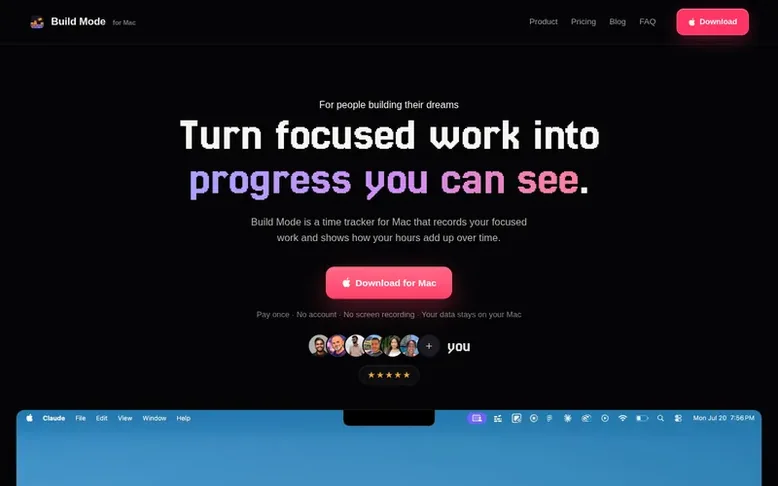
Build Mode: the homepage
Build Mode is a native Mac application designed for people tracking focused work on projects they are building. You press a keyboard shortcut to start a session, and the app counts only active time, automatically pausing when you step away. Sessions are sorted into customizable categories called skills, and the app displays your progress through a daily dashboard, an hour wall where each dot represents a completed hour, and Wrapped—a weekly visual recap you can share or keep private. All data stays on your Mac in a local file with no account, no cloud, no networking code, and no screen recording.
The app runs natively on macOS 14 or later on both Apple Silicon and Intel Macs. It is a one-time purchase with no subscription, and the price is currently $29 as an early builder discount, set to increase to $49. After purchase, you receive a license key by email that you paste into the app to unlock it; the key is verified locally on your Mac and never sent anywhere.
Listed capabilities
- One-button keyboard shortcut to start and stop sessions
- Live session clock in MacBook notch
- Automatic mode suggestions from active app
- Pauses idle time and display sleep
- Dashboard with daily, weekly, and all-time totals
- Wrapped weekly visual recap shareable as image
- Custom categories or skills
- All data stored locally on Mac
Pricing
Pricing model: Paid
$29 one-time payment (early builder price, will rise to $49). Includes one-button time tracking, daily/weekly/all-time totals, automatic app tracking, custom categories, long-term hour goals, weekly visual reflections, and local data storage. No subscription, no account.
Follow Build Mode for an email about each milestone, update and new product they post, in a daily summary.
Build Mode metrics
| Metric | Value |
|---|---|
| Domain Rating | 27 no change since last check |
| Trust Flow | 22 no change since last check |
| Citation Flow | 27 no change since last check |
| Referring domains | 76 no change since last check |
| External backlinks | 4,350 no change since last check |
Ahrefs Domain Rating listed 6 Nov 2026, relisted 19 Oct 2026. Listed under topic: Regional/Asia (22). Majestic listed 19 Oct 2026, relisted 19 Oct 2026. Link data listed by Majestic. Trust Flow, Citation Flow and Topical Trust Flow are trademarks of Majestic-12 Ltd.
Build Mode domain listing data
Show the listing data
| Domain age | 3 months |
|---|---|
| Registered | |
| Expires | |
| Registrar | Namecheap Inc. |
| DNSSEC | Not signed |
Build Mode launch receipt entry
| Measure | At launch, then latest |
|---|---|
| Domain Rating (Ahrefs) | 27 to 27 no change since launch 19 Oct 2026, then 5 Nov 2026 |
| Trust Flow (Majestic) | 22 first measured 19 Oct 2026 |
| Referring domains (Majestic) | 76 first measured 19 Oct 2026 |
Day 18 since launch. Next receipt: day 30, 18 Nov 2026. We show what changed, not what caused it: many things affect these numbers. Nothing here is estimated.
Before you launch
The playbook on SaaS Directory List lists what to prepare, what to post on launch day and where else to list your product.
Compare and explore
Quick answers
How much does Build Mode cost?
Build Mode costs $29 as a one-time payment with no subscription and no account. This is the early builder price and will increase to $49 in the future, but your price stays the same forever once purchased.
Does Build Mode record my screen?
No. Build Mode never takes screenshots, reads window titles, or sees your browser. The app contains no networking code at all, so it cannot record or transmit any screen information.
Where is my data stored?
All your data is stored only on your Mac in a local file. There is no cloud and no account, so nothing ever leaves your computer.
What are the system requirements?
Build Mode requires macOS 14 or later and runs on both Apple Silicon and Intel Macs as a universal app. No internet connection is needed after purchase.
How do I activate Build Mode after buying?
After purchase, you receive a license key by email. You paste the key into the activation screen in the app. The key is verified on your Mac locally and never sent anywhere.
Leave a review for Build Mode
No reviews listed for Build Mode yet. List the first one.
Listing a review is free. No one pays for reviews. See the listed reviews
List reviews · List updates · Share the list · Your tool? Claim this list entry · Report this list entry
Build Mode has a free listing. The owner can unlock the full profile with a paid launch for $5:
- Founder story (locked)
- Milestones (locked)
- Demo video (locked)
- Dofollow website link (locked)
Also on the list
-
 Number 1: Omphalis
A workspace for reading articles, PDFs, videos and podcasts with AI explanations and cross-source questions
Productivity & Personal ToolsUnited StatesSince 2026
DR 43 +1 (up) since last check 1 votes. Log in to move Omphalis up the list -
 Number 2: MeetNote
AI Meeting Notes That Turn Conversations Into Action
DR 0 no change since last check 0 votes. Log in to move MeetNote up the list -
Number 3: Playlist Exporter
Export YouTube playlists to CSV, Excel, JSON and 10 more formats
DR 0 no change since last check 0 votes. Log in to move Playlist Exporter up the list -
 Number 4: Scappi
Recipe box for organizing recipes from links, photos and cookbooks
Productivity & Personal ToolsEstoniaSince 2026
DR 0 no change since last check 0 votes. Log in to move Scappi up the list