Track keystrokes, clicks, applications and websites to understand your computer usage and productivity patterns
Stage
Established
Established
Founded
Not given
2003
Based in
US
Not given
Pricing model
Freemium
Freemium
Pricing
Not given
Premium plans available monthly and yearly with discount for annual billing. Free plan includes basic tracking up to 3 computers. Premium removes computer limit and adds unlimited history, web insights, application heatmaps, network traffic breakdown, time tracking profiles, CSV exports and dashboar
Key features
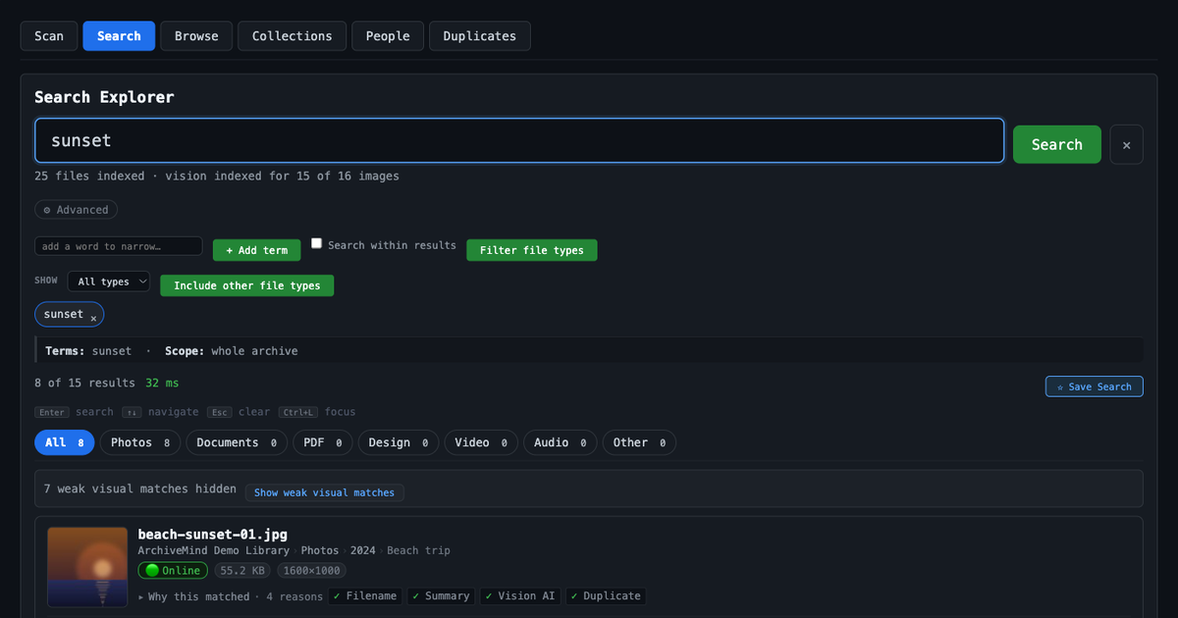
Full-text search across filenames, folders, metadata, and document text
Search unplugged external drives after they are ejected
Duplicate detection by content fingerprinting
Audio waveforms and spectrograms with playback
Video thumbnails and in-interface playback
Browse by file type, year, folder, camera, or location
Runs entirely on your computer without internet
Keystroke and keyboard heatmap tracking
Mouse click counting and movement tracking with heatmaps
Application usage breakdown by time and input
Website and domain tracking without content monitoring
Window title tracking and project categorization
Network bandwidth monitoring and traffic analysis
Uptime and idle time tracking
CSV data export and custom reports
Time tracking profiles for projects and contexts
WhatPulse Leagues weekly competitive rankings
What makes it different
All indexing and AI run locally on your own computer
Search remains available for unplugged external drives after they are ejected
Visual search powered by AI model bundled in the application
One-time $49 purchase with no subscription or account required
Competitive Leagues feature with weekly rankings and divisions
Multi-platform support for Windows, macOS and Linux
Detailed window-level insights for granular productivity analysis
 ArchiveMind